
Views: 0 Author: Site Editor Publish Time: 2026-02-18 Origin: Site


Maintaining a 510 Battery for longer life is crucial for ensuring the efficiency and longevity of your vaping experience. A 510 Battery is a primary component in your vaporizer or e-cigarette, providing power to the atomizer and creating vapor by heating e-liquid. When properly maintained, your 510 Battery will perform better, last longer, and offer a smoother vaping experience. By following best practices such as regular cleaning, correct charging methods, and proper storage, you can maximize the lifespan of your 510 Battery.
In this article, we will explore the key maintenance tips for extending the life of your 510 Battery, including cleaning, avoiding overcharging, storing, preventing deep discharge, using the correct voltage, and regularly checking its health. Let’s go through each practice to ensure your battery is always in top shape.
The cleanliness of your 510 Battery plays a significant role in its performance and lifespan. Dirt, dust, and residue from e-liquids can easily accumulate on the battery connectors and the threads. This debris creates resistance, which can lead to inefficient power transfer from the battery to the atomizer. A clean battery ensures that your device is functioning optimally and prevents any potential short-circuiting or overheating caused by debris buildup.
In addition, regular cleaning prevents the connectors from becoming clogged with e-liquid or other substances that can affect the electrical connections. A clean battery will also help preserve the aesthetic appearance of your device, keeping it looking new and functioning effectively.
To clean your 510 Battery, you should use gentle methods to avoid any damage. Here’s a step-by-step guide to cleaning your battery properly:
Use a microfiber cloth: Start by wiping down the surface of the battery with a soft, lint-free microfiber cloth to remove any visible dust and dirt. Avoid using rough materials that could scratch the surface.
Isopropyl alcohol (90% or higher): Dampen a cloth or cotton swab with a small amount of isopropyl alcohol and gently clean the battery’s connectors. Alcohol will help break down sticky residue from e-liquids or oils.
Avoid harsh chemicals: Steer clear of using any chemical cleaning products that may be too strong or could damage the internal components of your battery.
Step | Action | Frequency |
1. Wipe the connectors | Use a microfiber cloth or alcohol to clean the connectors | Weekly or after each use |
2. Clean the battery body | Wipe the exterior of the battery with a dry cloth | Every 2-3 weeks |
3. Inspect the contacts | Look for residue or debris on the threading and clean accordingly | Every week or as needed |
Overcharging is one of the most common mistakes users make with their 510 Battery, and it can significantly shorten its lifespan. Every battery has a limited number of charge cycles—usually around 300-500 full cycles—before its capacity begins to diminish. Overcharging your 510 Battery can cause it to overheat, which damages the internal cells and decreases its ability to hold a charge.
Charging your 510 Battery correctly helps prevent unnecessary wear and tear. By understanding how to avoid overcharging, you can ensure your battery continues to perform well and last longer.
Here are a few tips to prevent overcharging your 510 Battery:
Unplug when fully charged: It’s important to disconnect the charger as soon as the battery is fully charged. While some modern chargers feature automatic shut-off mechanisms, unplugging your device as soon as it's fully charged will prevent any potential overcharging.
Avoid overnight charging: Charging your battery overnight can lead to overcharging. Even though modern chargers may stop charging once the battery is full, leaving the device plugged in for extended periods can still generate heat and potentially harm the battery’s internal components.
Use an appropriate charger: Always use the charger that came with your 510 Battery or one that is specifically designed for it. Using incorrect chargers with improper voltage or current can lead to overcharging or insufficient charging.
Proper storage of your 510 Battery when not in use is just as important as how you use it. Storing your battery in the wrong conditions—especially in hot or humid environments—can negatively impact its performance. High temperatures can cause the battery to overheat, while exposure to moisture can lead to corrosion.
To keep your 510 Battery in optimal condition, always store it in a cool, dry location. Ideally, the temperature should be between 40°F and 80°F (4°C to 27°C). Storing your battery outside of extreme heat or cold will help preserve its capacity and functionality.
If you are not planning to use your 510 Battery for an extended period, it’s a good practice to remove the battery from the device. Leaving the battery attached to the device can lead to unnecessary battery drain, even if the device is powered off. It’s best to store the battery separately, in a safe, dry place.
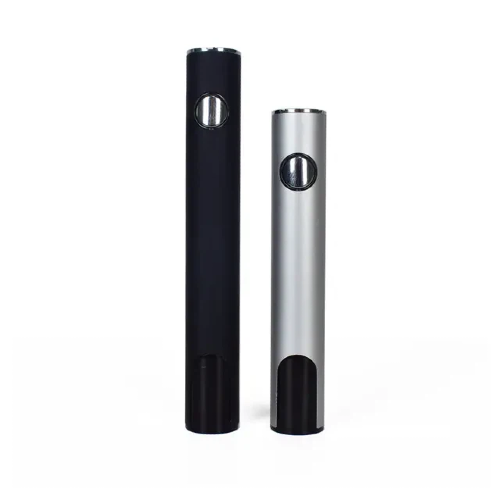
A deep discharge occurs when a battery is completely drained of its power, typically below 20%. Constantly allowing your 510 Battery to reach this level can severely damage its internal cells and result in shorter battery life. When the battery voltage gets too low, it may not be able to recharge properly, leading to a loss of overall capacity.
To avoid deep discharge:
Recharge before 20%: Aim to recharge your 510 Battery when the charge level reaches around 20% to 30%. This helps preserve the internal components and ensures that the battery lasts longer.
Monitor your battery levels: Keep an eye on the battery’s charge indicator to avoid reaching critically low levels. Some devices have a built-in warning system that alerts you when the battery is running low.
The voltage and wattage of your 510 Battery can affect its performance and longevity. Using the wrong voltage setting can cause the battery to overheat and degrade more quickly. Always follow the manufacturer’s recommended wattage range for the best experience and battery life.
Lower voltage: Using a lower voltage will consume less energy and extend the battery’s lifespan.
Higher voltage: High voltage settings can cause the battery to heat up faster, which may reduce its lifespan.
High voltage or wattage settings can cause excessive heat generation, leading to quicker battery degradation. To ensure your 510 Battery stays in good condition, adjust the voltage to a moderate level. If you use your device at higher wattages frequently, consider switching to a battery with a higher capacity designed to handle higher loads.
It’s essential to monitor the health of your 510 Battery to identify any issues early on. Regularly check for signs of wear, such as reduced battery life, slow charging, or failure to charge. If you notice any of these symptoms, it may indicate that the battery is approaching the end of its useful life.
You can also check the battery’s voltage level by using a multimeter or by paying attention to the performance of the device. If the battery takes longer to charge or holds less charge, it’s time to replace it.
Knowing when to replace your 510 Battery is important for avoiding performance issues. If your battery is consistently draining faster, charging slower, or failing to charge at all, it might be time for a replacement. Typically, a battery should last for about 300-500 full charging cycles, but this depends on usage and maintenance.
Maintaining a 510 Battery for a longer lifespan is essential to get the most out of your device. By following simple yet effective tips such as regular cleaning, avoiding overcharging, and storing your battery properly, you can ensure it performs at its best for years. Keeping your 510 Battery in top condition not only enhances your vaping experience but also saves you money by reducing the need for frequent replacements.
At Shenzhen iPlay Technology Co., Ltd., we specialize in providing high-quality 510 Batteries and other vaping products designed for longevity and superior performance. Our team is dedicated to helping you choose the right products and providing excellent after-sales support. If you're looking for premium 510 Batteries or need advice on maintenance, we invite you to contact us directly. Let us assist you in maximizing the performance and lifespan of your vaping devices.
To ensure your 510 Battery operates efficiently, clean it at least once a week or after every few uses. Clean the connectors to prevent residue buildup.
Yes, overcharging can damage the battery’s internal components and reduce its lifespan. Always unplug the battery once it’s fully charged.
Signs of damage include shorter battery life, slow charging, or failure to charge properly. If any of these occur, it may be time to replace the battery.
Storing your 510 Battery in the fridge is not recommended. A cool, dry environment is best for preserving its longevity.
Avoid letting your 510 Battery drain to 0%. Recharge it when it reaches around 20%-30% to preserve its health.


