
Views: 0 Author: Site Editor Publish Time: 2026-04-25 Origin: Site


Waiting for your vape pen to charge often feels like an endless process, especially when you wonder if the unit is actually defective. Modern devices operate differently than older models, leading to frequent confusion. Charge times vary wildly depending on internal battery capacity, the specific charger output, and the physical connection type.
Relying on the wrong power source poses serious risks to your equipment. Plugging into a modern high-speed phone charger can permanently damage your device by overloading the delicate internal circuits. We will provide a definitive baseline for expected charging times, removing the guesswork from your daily routine.
You will discover safe, proven charging protocols designed to protect your hardware and extend its lifespan. We also clearly outline how to identify a failing unit versus one simply requiring routine maintenance. Understanding these factors ensures you get maximum performance and longevity out of your setup.
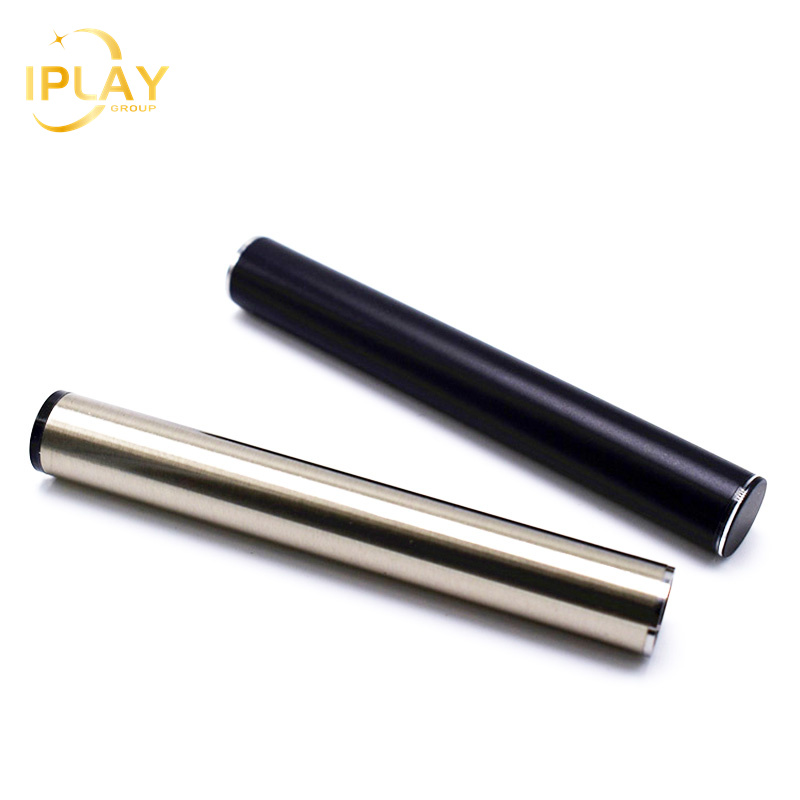
Standard Timeframe: Most 510 batteries take between 45 minutes and 2 hours to fully charge, depending on their capacity.
The Math: Charge time roughly equals Battery Capacity (mAh) divided by Charger Output (mA).
The "Fast Charge" Myth: Using a high-wattage wall adapter will not speed up the process for a standard 510 thread battery; it will likely cause thermal damage.
Safety First: Always remove the cartridge before charging and use a standard computer USB port (0.5A - 1.0A) for the safest current.
Troubleshooting Rule: If the charger light instantly turns green when screwed in, it is usually a physical short-circuit from overtightening, not a full battery.
Understanding your hardware begins by looking at the basic physics of energy transfer. The relationship between your device's capacity and the charger's output dictates the total waiting period. Battery capacity uses milliampere-hours (mAh) as its metric. Charging current relies on milliamperes (mA). You can determine the general timeframe by dividing the total capacity by the charging current.
For example, pairing a 500mAh 510 Battery alongside a standard 500mA USB output takes roughly one hour to reach maximum capacity. Upgrading to a larger device changes this calculation entirely. Heavy-duty units inherently demand longer cycles.
Hardware designs range from ultra-slim pens to robust units meant for concentrates. Each class requires a specific waiting period under normal conditions.
Device Class | Typical Capacity (mAh) | Expected Charge Time | Primary Use Case |
|---|---|---|---|
Slim/Stick Batteries | 280 – 350 mAh | 45 to 60 minutes | Standard oil cartridges, discreet usage |
Box/Palm Style | 650 – 900 mAh | 1.5 to 2 hours | Frequent daily use, variable voltage needs |
Heavy-Duty/Dab Pens | 1000 – 1500+ mAh | 2 to 4 hours | Wax and concentrate atomization |
You must also factor in the trickle charge reality. The final ten to twenty percent of the cycle intentionally slows down. Manufacturers design lithium-ion cells to reduce incoming current as they approach full capacity. This safety mechanism prevents over-pressurization and protects internal chemistry. Therefore, reaching eighty percent takes significantly less time than finishing the remaining twenty percent.
Hardware evolution constantly changes how we power our devices. Evaluating your current setup requires understanding the stark differences between legacy charging methods and modern standards. Older systems use mechanical connections. Newer designs rely on intelligent circuitry.
Legacy adapters rely heavily on a physical pressure plate mechanism. They thread directly onto the top of your device. This design demands precise user operation. You must plug the adapter into your power source first. Only then should you gently screw the unit onto the threads. Reversing this sequence risks crushing the fragile connection pin. Furthermore, these older chargers lack advanced smart-monitoring circuits. They cannot effectively communicate voltage limits, making them vulnerable to power surges.
Modern equipment adopts the USB-C standard for superior reliability. A USB-C equipped 510 Battery incorporates built-in short-circuit and overcharge protection protocols. They monitor the incoming current continuously. Many premium models technically allow pass-through usage. This feature lets you hit the device while plugged in. However, we generally discourage pass-through use. It generates excess heat and rapidly degrades cell longevity. USB-C provides highly consistent power delivery. It often keeps standard cycles strictly under ninety minutes.
Modern technology conditions us to seek the fastest power solutions available. We often blindly plug our accessories into any available wall adapter. This habit poses severe risks when handling specialized vaping equipment.
Explicitly avoid using modern phone or tablet fast-chargers. A typical fast-charging brick pushes 20W or more. A standard 510 Battery expects a low input, strictly capping at 5V and 0.5A or 1.0A. Forcing excess voltage through a low-capacity unit causes immediate overheating. Thermal degradation breaks down the internal lithium structures permanently.
We highly recommend utilizing standard computer USB ports. Unpowered USB hubs serve as excellent alternatives. These specific ports naturally cap their power output at a safe 0.5A to 1.0A range. This gentle current perfectly matches the hardware requirements, eliminating overheating risks entirely.
Implement the 20-80% Rule: Lithium-ion cells possess a finite lifespan ranging from 300 to 1000 cycles. Maximize this window by plugging in the device when it drops to twenty percent. Unplug it right around eighty percent. Avoid deep depletion down to zero.
Monitor Environmental Heat: Never charge the unit immediately following a heavy session. Let the casing cool down first. Excess internal heat compounds incoming electrical heat.
Ensure Proper Storage: Keep all devices out of direct sunlight. Store them away from extreme temperatures above 113°F. High ambient heat severely degrades cell chemistry.
Extended waiting periods indicate underlying issues. Sometimes the power source fails you. Other times, physical obstructions block the current. You can solve most problems using basic troubleshooting methods.
Address your environmental factors first. Plugging your device into a crowded, unpowered USB hub splits the available current among multiple devices. This split reduces the amperage reaching your unit, potentially doubling or tripling the necessary charging time. Always isolate the connection when seeking maximum speed.
Many users encounter a frustrating scenario where the charger light turns green immediately upon connection. The unit remains dead despite this signal. Overtightening causes this specific failure. Screwing the device in too tightly pushes the center pin down entirely. This action creates a physical short-circuit. The charger interprets the blocked current as a "full" signal. You can fix this easily. Back the thread off a quarter turn until it registers a solid red charging light.
Your pockets and bags contain microscopic debris. Lint, dirt, and leaked vape juice accumulate directly on the connection threads. These contaminants act as insulators, blocking electricity. Inspect the connection point regularly. Clean the threads using a dry wooden toothpick. Follow up by wiping the metal plates using a cotton swab dipped lightly in isopropyl alcohol. Allow it to air dry completely before applying power.
You must recognize when a unit has reached the end of its functional life. Certain warning signs indicate irreversible internal failure.
The unit stays on the charger for over six hours without turning green.
The metal casing gets uncomfortably hot to the human touch.
The hardware emits a strange high-pitched noise or chemical smell.
If you experience any of these symptoms, the 510 Battery has failed internally. Unplug it immediately. You must discard it safely according to local electronic waste regulations.
Defining the line between a routine maintenance issue and a total hardware failure saves you time and frustration. If your device requires another cycle after only one hour of moderate use, its internal capacity is permanently degraded. You cannot fix chemical exhaustion. You must replace the unit.
Consumers often gravitate toward cheap hardware to save money upfront. Gas-station pens or generic units priced under ten dollars frequently lack basic safety cut-offs. They omit crucial overcharge protection boards. You lose your initial savings quickly through frequent replacements. More importantly, these budget options present legitimate safety hazards during the charging process.
Selecting a replacement requires knowing what modern features matter most. Look for these specific elements when evaluating a new unit:
Feature | Why It Matters | Premium vs. Cheap Standard |
|---|---|---|
Integrated Circuit (IC) Protection | Prevents short-circuits, overcharging, and thermal runaway. | Standard on premium; largely absent on cheap pens. |
Variable Voltage Settings | Adjusts power output for different cartridge viscosities. | Premium allows precise tuning; cheap pens offer fixed outputs. |
USB-C Compatibility | Ensures reliable charge speeds and universal cable management. | Premium uses native USB-C; cheap uses legacy screw-on plates. |
Heavy users place immense stress on slim devices. Continuously draining and recharging a small 350mAh pen destroys its lifespan within weeks. We recommend adopting a multi-device rotation strategy. Keep a reliable backup fully charged at all times. Alternatively, step up to a high-capacity unit pushing 1000mAh or more. Larger hardware dissipates heat better and requires fewer cycles, ultimately providing a more consistent daily experience.
A properly functioning 510 Battery should reach full capacity in one to two hours. You achieve this safely by utilizing a low-output computer USB port. Respecting the physical limitations of lithium-ion chemistry prevents thermal damage and prolongs lifespan.
Take a moment to assess your current hardware. If your device takes excessively long to charge, dies far too quickly, or gets uncomfortably hot, it is time for an upgrade. Browse vetted, premium options offering modern safety features. Investing in reliable equipment ensures a safer, more consistent experience every time you press the button.
A: No. Even if your device features built-in overcharge protection, leaving it plugged in continuously stresses the internal chemistry. This habit drastically reduces the overall lifespan. If the device lacks a dedicated safety shut-off, overnight charging poses a severe fire risk due to thermal runaway.
A: A blinking light usually indicates a physical connection issue. The circuit cannot complete its loop. Ensure the metal threads are clean and completely free of vape juice residue. Always remove the cartridge before connecting the device to power.
A: You should only do this if the device explicitly supports "pass-through" capabilities. Otherwise, drawing power while simultaneously applying current overloads the delicate circuitry. This action generates massive internal heat and can permanently damage the core lithium cell.


